Blog

  • Rubrik Full Bare Metal Recovery

    Rubrik Full Bare Metal Recovery

    Recently I wrote a post on Rubrik’s latest major release, 5.0 Andes. That’s 5 major releases since the very beginning in January, 2014 and shipping the first Brik in November of the same year.  Much like the appliances themselves, that is just an incredible speed to get up and operational to send onsite to a customer! You can check out the full timeline here.
     
    I do however want to dig a little bit deeper into some of the items that were released as part of the 5.0 announcement. There were a number of things I had already mentioned, but for this post I want to go further into the Windows Bare Metal Recovery.
    So why do we want to deal with physical servers, isn’t everything virtualized? Well, no. Not everyone’s environments are virtualized as there are many reasons why an enterprise may need to continue to run physical machines for licensing or hardware requirements,  and it is imperative that they are backed up accordingly and even more-so easily recoverable in the event of a failure.
    Rubrik have now met this need with their full Windows Bare Metal Recovery (BMR) feature as part of the Rubrik 5.0 Andes release, backing up at block level while ensuring even the MBR/GPT partitions are secured. BMR isn’t new to Rubrik, but in the past it started only protecting file sets and files, in 4.2 it was able to protect volume partitions, however, now in 5.0 Rubrik offer FULL BMR by introducing the Volume Filter Driver (VFD) which can be installed optionally to work with the Volume Shadow Copy Service (VSS) and is used for Change Block Tracking (CBT) to decrease backup times.
    On first run, the Rubrik Backup Service (RBS) will capture a Crash-Consistent Volume-based snapshot and backed up onto the Brik and is stored as Virtual Hard Disk v2 (VHDX) which makes it easily available for P2v. Once captured, then incremental snapshots are taken with the VFD checking and creating a bitmap of changed blocks to ensure faster backup windows.
    The ease of backup is incredibly simple, and recovering from a disaster is just as good. You will need to use the Rubrik WinPE Tool to assist in making you WinPE boot image, but once created, you can then boot your target system into the PE. This environment will allow you to log in and mount the samba share and kick off the restore PowerShell script. BMR also support Live Mount which will allow you to mount your required volume snapshot that you want to restore from. As the first part, the script will obtain and prepare you disk layouts prior to copying down your boot partitions and data. Once the restore is completed, reboot and then you can login and confirm that all the volumes are intact and all data is there and accessible. If you are migrating to a different physical tin, then sensible target hardware needs to be considered, however there is no requirement to match the original source hardware.
    One last feature of the 5.0 release is the ability to migrate from a physical machine. There are 3 options for migration;

    • P2V: Migrate from physical to virtual, either VMware vSphere or Microsoft Hyper-V
    • P2P: Migrate from physical to similar or dissimilar physical hardware
    • P2V: Migrate from Physical to the cloud, whether it is Microsoft Azure or AWS

    It really is just that easy to do and those who are still bound by physical servers can breathe again knowing that Rubrik can take care of their Full BMR needs, as well as being able to meet the Enterprises’ requirements of off-site long term storage by pushing to the cloud.

  • Rubrik announces Andes 5.0

    Rubrik announces Andes 5.0

    Alright, backup and take a seat for this one!  See what I did with the title? Ok, maybe I’m a kinda a little excited to write a post this time. Not only is this my first briefing with Rubrik, but it is also a jam packed new release with some amazing new features.  In this post, I am just going to briefly mention the new features and what to expect, as I hope over the next week, I can dive in deeper into a few of them..

    So starting from the top, since 2015 when Rubrik rebased their v1.0, they have been making some significant headway in new feature and almost releasing a a major release within the same year of the previous. Skipping a bit over 3 years since that first release and here we are with Andes 5.0, this is staggering to see a company raising the bar.
    As I mentioned above, this is a just a quick overview to get your tastebuds watering, so I’ll move right in to mentioning the all the gossip!
    Rubrik is really looking into the Digital Transformation buzz that we are all see happening at the moment, and they are rapidly adapting to keep up and get infant of the market to meet the Digital Transformation demand.
    Oracle: 
    When you work with databases, you know how quickly they update and change, and being able to recover your database in the event of a disaster is time critical. That’s where Rubrik now has Instant Recovery and Live Mount to achieve almost near zero Recovery Time Object. This is great for test/Dev as the databases would be an almost instant clone.
    NAS Direct Archive:
    Sometimes you may already have a file store in place backing up\replicating from an onsite NAS, this is good, but it can be better with Rubrik’s NAS Direct Archive. This new feature will allow you to continue to backup you NAS to a remote store (Clud, NFS Store, or Object store) however, it packs on extra simplicity by crawling through the data for you and indexing it automatically to save you time when you need to recover from that remote storage.
    Elastic App Service:
    The EAS is a new storage repository that provides a highly available, storage efficient distributed file repository over NFS or Secure SMB. This platform allows nearly any application or OS to write direct to the volume, opening and closing the connection with scripted API calls. The EAS works like any other plain old NFS/SMB but when the connection is closed a Point-In-Time snapshot is taken and the data is secured. Rubrik has again made it easy by creating some pre-tuned default tags for different databases, you can tag the volume with this predefined tags and let the Brik for the rest.
    SAP HANA Protection Certified Solution.
    Rubrik has now been awarded the SAP HANA Certified Solution certification leveraging the backint API to assist with backup and restore using SAP HANA Studio or Cockpit.
    Microsoft SQL Enhancements:
    MS SQL has been supported since version 3.0, however there have been some major updates to the platform to help make the process more efficient. Change Block Tracking has now been enabled with a new filter driver, this will ensure that you are only backing up the blocks that have had any changes made and decreasing the backup time. Rubrik can also now invoke VSS and take snapshots of the database to get a point-in-time consistent backups.
    Windows Server Bare-Metal Recovery:
    Just when the world was moving away from physical as virtual infrastructure offers more in terms of high availability, lower power consumption, better resource utilisation, etc… Rubrik has come out with Bare-Metal backup and recovery, protecting those who still run in a physical world. The perfect thing about this is that your Brik will do all the work for you in taking a backup of the MBR and GUID Partition Table while tracking the changed blocks at the kernel level. In the event of a failure, there are some manual steps including booting into WinPE, however, this is a much more efficient and accurate way than restoring from tapes!
    There is also the added benefit this can be use for P2V – so not all hope is lost in those still running physical workloads!
    Polaris protection for Office365:
    Earlier this year, Rubrik announced their Polaris SaaS Platform offering simple policy-based management to backup and recovery of your Office365 environment. This allows customers to mange their O365 backup and recovery policies through the Polaris interface, allowing them to use the same SLA policies as their on-prem solution. This integration also allows for global file search and single object recovery.

    As mentioned, this is just a brief overview for now. There is a lot crammed into this release, too much to put into one post. Stay tuned and continue to check out other posts around this release.
    To learn more check out: www.rubrik.com 

  • New Release VMware NSX Books – Free Download

    New Release VMware NSX Books – Free Download

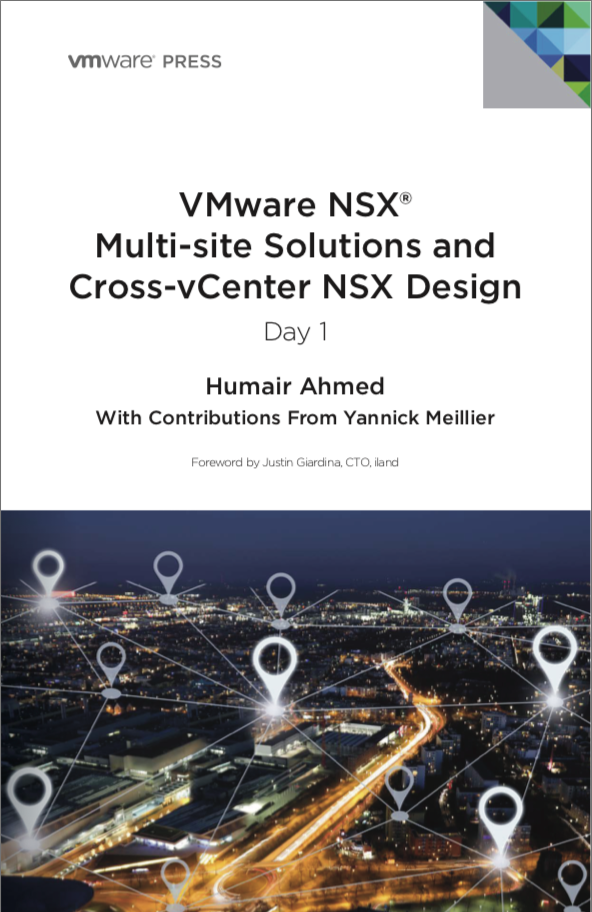
    Following on from last years Free NSX books that were given away at VMworld 2017 and also available for download, there have been another 2 new releases that are now available for download.
    VMware NSCross-vCenter NSX DesignX® Multi-site Solutions and Humair Ahmed with contributions from Yannick Meillier
    Screen Shot 2018-08-03 at 11.15.02 pm

    Screen Shot 2018-08-03 at 11.14.06 pm
    With over 300 pages between the two books full of great content, they are two books well worth having in your collection.

  • Nasuni – Global Object File Storage on Steroids – #SFD16

    Nasuni – Global Object File Storage on Steroids – #SFD16

    This was one of my favourite presentations. These guys are not messing around, their product is important to them and their message was clear that they mean business. Not only did the panel provide good feedback during the session, but conversations continued afterwards, and this showed that they really cared about the community’s thoughts and ideas.
    So, who are Nasuni and what do they do? Well, that is a very good question. Nasuni has built their product from the ground up, they provide a cloud and on-premises Global Object File Storage system running on their patented UniFS file system. Nasuni’s main focus is on the ever-growing size of files from Photoshop to Autocad, Audio to UltraHD films and more while storing them in a central location in the cloud to provide quick and efficient access, as well as file redundancy. The architectural layout behind this global object storage is a hub and spoke approach where there is a central location that maintains the “Cold” storage and then each spoke is the branch\remote office accessing the files. Each office can have either a virtual or physical Nasuni appliance for caching to allow “hot” files to be accessed much quicker, while integrating with AD or LDAP for security.
    Nasuni believe that storage requirements are increasing dramatically for individual files and that there should be no limits on whether or not those files can be stored, regardless of their size. UniFS has no limits on; maximum file size, number of files per volume, total volume size or the number of snapshots on a volume. All these open limits aid in the success of Nasuni, along with their file collaboration technology.
    The on-premises cache appliance allows users to pre-seed the files from the global object storage so that they are available when the user will require access. For example, if there is a 4GB file that is required Monday morning, the user can start the pre-seed on Sunday. EA Games proved that Nasuni can make a significant difference in how their organization works with files by going from only testing approximately 3 game builds per day to more than 100. The appliance also holds onto the changes and the files requiring upload when the link to the global system is down.
    Each file is deduped and compressed, while encrypted with a client-controlled key to ensure data is transferred optimally and securely.  When the file is in use, it is locked and advises the next user of the locked file, once released, the file will remain locked for a short additional amount of time to ensure that it has replicated back to the global repository and confirmed before being available for the next person.
    If you’re organisation has multiple offices and you’re looking at centralising your files, whether small or large, I highly recommend checking out more on what Nasuni has to offer.
    See below for the presentations from Storage Field Day 16, both the overview and technical deep dive.

    Overview: 
    [vimeo 277731640 w=640 h=360]

    Technical Deep Dive
    [vimeo 277732048 w=640 h=360]

  • An Introduction to SNIA – SFD16

    An Introduction to SNIA – SFD16

    The first session to kick off SFD16 was presented by SNIA (Storage Networking Industry Association.“The SNIA is a non-profit global organization dedicated to developing standards and education programs to advance storage and information technology.” – www.snia.org
    This session was an introduction to SNIA and the role that they play in creating technical standards and educational materials. SNIA as a whole works towards bringing vendors into a neutral zone of standards, simplifying technology and creating boundaries to work within. SNIA runs forums, approximately 50 in the last 3 years where webinars and presentations are run to allow anyone to choose to learn about any particular storage technology. They also provides a plethora of educational items from white papers, articles, blogs, IT Training, conferences and certification courses all free, run by SMEs of their own companies.

    SNIA focus’ on many areas from physical storage, persistent memory, data security, network storage, backup, and much, much more. In the words of Dr J Metz, “Generally speaking, if you can think of it, SNIA has a project that’s working on it, or looking to promote it or educate about it.”
    Having learnt more about SNIA and the great work they are doing to help promote and educate about storage, I have gone and looked into a number of their education items, particularly the white papers. I encourage you to also head over and check out their material.
    For more details, head to www.snia.org and check out the video from Storage Field Day 16.
    [vimeo 277519410 w=640 h=360]

  • Zerto – Not Just Short Term DR Retention Anymore

    Zerto – Not Just Short Term DR Retention Anymore

    Last week I had the opportunity to participate in a session with Zerto at their global headquarters in Boston, MA. as part of Storage Field Day 16. This was a session I was really looking forward to after having been a partner for ~3 years and someone who really likes the technology.
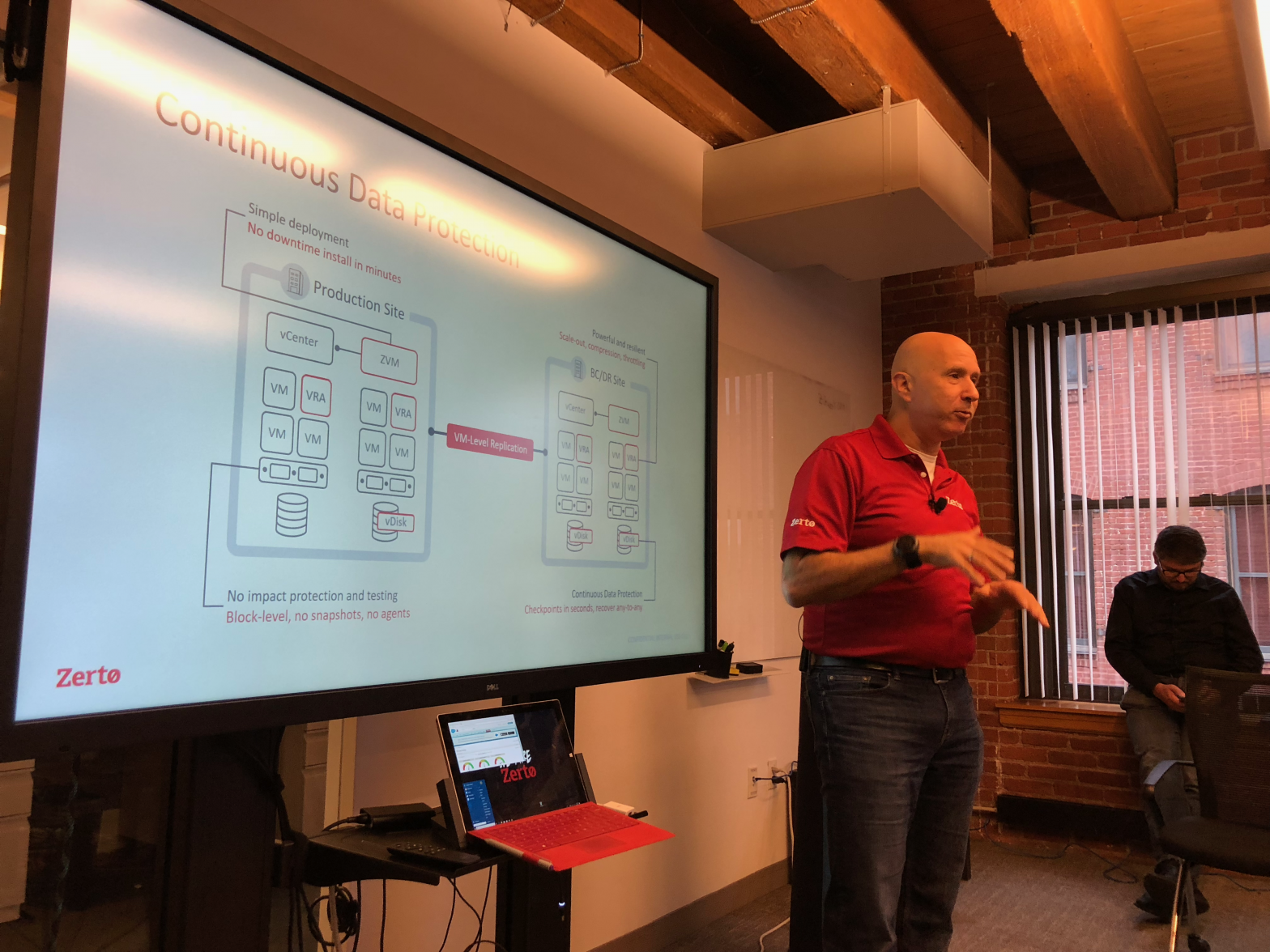
    The session started with the companies Chief Marketing Officer, Gil Levonai going over the core details of how the company has grown and how their block based Continuous Data Protection technology has evolved over the years.
    Zerto Virtual Replication (ZVR) disaster recovery product that uses block based replication allowing it to be hardware agnostic. This means you can use any underlying storage vendor between sites. Zerto is building out their cloud portfolio to allow replication across multiple hypervisors and public cloud companies from vSphere and Hyper-V, through to AWS and Azure, and beyond. There are two main components that are required at both sites for the replication to work, the Zerto Virtual Manager (ZVM) and the Zerto Virtual Replication Appliance (ZVRA). The ZVM is a Windows VM that connects to vCenter/Hyper-V Manager to run the management WebGUI and present and coordinate the VMs and Virtual Protection Groups (VPGs) between sites. The ZVRAs are loaded on to each hypervisor as an appliance and is used to replicate the blocks across sites while compressing the data. One storage platform they do no support currently is VVOLs, however, they are a company that will develop for the technology as there is demand.
    You can set your target RPO to a mere 10 seconds and retain your recoverable data in the short-term journal from 1 hour up to 30 days – meaning you can restore data from a specific time rather than when the backup was last run..
    The VPGs are groups of VMs you want to be part of a failover group. This is where you can create a group for say a 3 tier app where you need each VM to restart in a certain order at certain intervals.

    You can see the Gil’s talk here: https://vimeo.com/277582934
    So, what was the technical discussion during this session? Mike Khusid (Product Management Leader) took us through their new Long Term Retention (LTR) piece that is currently under development to extend the capabilities of ZVR. This is  due to to be included in their next Major release, Zerto 7. This requirement for many enterprises is driven by the need to meet compliance standards and be able to retain data from 7 to 99 years. The benefit of this being included in Zerto’s Continuous Data protection means that you will have an available copy of data that was created ~3 minutes prior to being deleted, ensuring it will be recoverable within the set retention period.
    This is certainly a great way for Zerto to extend their product set to be able to meet the compliance demands that many companies face. As a partner using Zerto, I know this will be a great piece to be able to pass on to our customers.
    You can also catch Mike’s segment here: https://vimeo.com/277583291
    Thank you Zerto for taking the time to present at Storage Field Day #16.

  • Storage Field Day 16 – I’m going on an Adventure!

    Storage Field Day 16 – I’m going on an Adventure!


    ***Update – Added NetApp session to Timetable.
    This is a bit of a late post, however it is done. In less than a week now, I will be boarding my first ever international flight as I will be heading over to Boston, MA, USA for 4 days. Why? I have been invited by the good folks at GestaltIT and the Tech Field Day (TFD)  team to attend and be a delegate at Storage Field Day #16. (SFD16).
    This is a great honour to be a part of, an opportunity where I can meet likeminded folk, discuss storage and general technology while diving deep into the guts of the products, meet vendors and staff and most importantly of all, to learn and grow in the knowledge and experience that will come from attending.
    What is Storage Field Day?
    Well.. as this is going to be my first Tech Field Day event that I am attending, there is only so much I know at this point in time, however I will try and explain it best I can.
    Storage Field Day, along with Cloud, Networking, Mobility and Data field days, is a 2-3 day event where a group of delegates selected by the TFD team are taken to multiple sessions presented by vendors on their technology. Each vendor presenting purchases a time slot in which they will discuss their technology, either their current or latest and greatest coming to market, as well as possibly discussing their roadmap. During the sessions, the delegates have an opportunity to ask the hard questions, discuss their views and experiences and  write up their thoughts on the information presented, while being completely open and honest.
    Storage Field Day #16
    Storage Field Day 16 will be a 2 day event, travelling around the city and outer city of Boston, MA. held between the 27th and 28th of June, 2018. There are currently 6 sponsors for the event announced, each purchasing a session or two to present on their choice of product. The sponsors and session times for #SFD16 are: (Taken from SFD16 page)

    Wednesday, Jun 27 8:30 – 9:30 SNIA Presents NVMe Over Fabrics at Storage Field Day 16
    Wednesday, Jun 27 10:00 – 12:00 StorONE Presents at Storage Field Day 16
    Wednesday, Jun 27 13:15 – 17:15 Dell EMC Storage Presents at Storage Field Day 16
    Thursday, Jun 28 8:00-9:00 Zerto Presents at Storage Field Day 16
    Thursday, Jun 28 10:00 – 12:00 NetApp Presents at Storage Field Day 16
    Thursday, Jun 28 13:00 – 15:00 INFINIDAT Presents at Storage Field Day 16
    Thursday, Jun 28 16:00 – 18:00 Nasuni Presents at Storage Field Day 16

    Each session will be streamed on the #SFD16 page for the viewers at home/office. 
    What am I hoping to get out of attending?
    I would be lying if I said that I wasn’t nervous for a couple of reasons. The first reason being that I have never travelled international for and have to wrangle customs at LAX (Of all the airports) in a 2.5 hour stopover. The second is the unknown of what happens at a Tech Field Day event, I have watched a number of streams and recordings from previous events, but that only shows so much, it certainly has given me an idea of how the delegates contribute to the session.
    I guess my nerves stem a little from seeing the list of bright minds that will be there as delegates, the list is absolutely packed, and then there is me, but that I see as a good thing. I have a completely open mind about what to expect walking in, the tips that I have received from previous delegates have all lead to “You will walk away with having a completely new look on everything in the vendor/technology space.” So I am excited to make the very most of this and hopefully do a well enough job to be invited back again.
    Keep an eye on this blog, there will be lots of content being produced over the next couple of weeks. Also check out the #sfd16 on Twitter and make sure you check out the live streams and recordings.
    **Disclaimer: All delegates have their airfares, accomodation and travel (and sometimes extra activities) paid for by the vendors presenting. 

  • VMware Current Software Download and Release Notes

    VMware Current Software Download and Release Notes

    I haven’t blogged in a while, so I thought I would put together a quick list of the most current versions of VMware solutions available. Below you will find links to the download and to the release notes. These are the current versions as of this date. Hopefully someone will find this as a useful reference.
    **Please note you will require a valid login/Contract to be able to access a number of these solutions for download.
    Check out @texiwil Linux VMware Software Manager – Only requires a my.vmware.com login (Great option if you can’t access downloads through the site)
    https://github.com/Texiwill/aac-lib/tree/master/vsm
    vCenter
    6.0u3e Download
    6.0U3e Release Notes
    6.5U2 Download 
    6.5U2 Release Notes
    6.7.0a Download 
    6.7.0a Release Notes
    ESXi
    6.0U3a Download
    6.0U3a Release Notes
    6.5U2 Download
    6.5U2 Release Notes
    6.7.0 Download
    6.7.0 Release Notes 
    NSX-V
    6.3.6 Download 
    6.3.6 Release Notes 
    6.4.1 Download 
    6.4.1 Release Notes: 
    NSX-T
    2.2 Download
    2.2 Release Notes
    Horizon
    7.5 Download
    7.5 Release Notes 
    7.4 Download  
    7.4 Release Notes 
     
    PowerCLI
    10.1 Download/Release Notes
    PowerNSX
    Download/release notes 
    vRealize Automation
    7.4 Download
    7.4 Release Notes
    vRealize Operations Manager
    6.7 Download
    6.7 Release Notes 
    vRealize Log Insight 
    4.6.1 Downloads
    4.6.1 Release Notes  
    Site Recovery Manager 
    8.1 Download  
    8.1 Release Notes  

  • PowerCLI: Import-vApp OVA: Hostname cannot be parsed.

    The other day I was rebuilding my lab using William Lam’s vGhetto vSphere Automated Lab Deployment script for vSphere 6.5. In the past I have run the 6.0 script successfully. As part of the script, there is an OVA of a host profile that William has made for the deployment, this is used for the configuration of the host.
    This particular time I came across an error right after starting the process and immediately after connecting to the nesting host.  It was a bit of a strange error, pointing to the Import-vApp cmdlet but also saying, “Invalid URI: The hostname could not be parsed,” which sounded as though to be a DNS issue, I spent a little bit of time going through my DNS settings, making sure that the computer from which I was running the script was able to resolve the hostname. I moved off my MacBook using PowerCLI Core and tested from my Windows machine using PowerCLI 10.0, and received the same error.

    I did some quick research and found nothing related to the specific error message and started to look at it piece by piece. I decided to pull apart the OVA file and try and run just the OVF – SUCCESS! There appears to be an issue with the OVA and the Import-vApp cmdlet in both PowerCLI Core and PowerCLI 10.0. I am yet to test the OVA in vSphere via the WebClient, but I suspect it may work as it should.

    To pull apart the OVA, I recommend using 7ZIP and opening the .ova file and copy/paste the content.

    1. Download and Install 7ZIP
    2. Relaunch explorer
    3. right click OVA file -> 7ZIP -> extract to /<foldername>
    4. check for the VMDK, OVF and description file are all present
    5. Change your ESXI $NestedESXiApplianceOVA= to the .ovf file
    6. rerun script.
  • Configure PowerCLI and PowerNSX on macOS

    A couple of months back, PowerShell Core on Mac and Linux became mainstream after success of its beta. This has allowed for modules to be extended to also be cross-platform for many products out there. The two main products I want to cover are the PowerCLI and PowerNSX and installing from the Powershell Gallery.
    To get started, you will need to go to the PowerShell github repo and download the PowerShell install package that is right for your system.
    Once the package is installed, Open up terminal and type pwsh to launch PowerShell.
    The next Module you will need to install is PowerCLI 10.0 which is the full feature install.
    In your PS terminal, insert the below

    PS>Install-Module -Name VMware.PowerCLI -Scope CurrentUser

    If you receive an invalid certificate error, you can bypass this by using the below.

    PS>Set-PowerCLIConfiguration -InvalidCertificateAction Ignore
    To confirm the Module is installed, you can run Get-Module VMware.PowerCLI 
    Lastly, you will want to install PowerNSX, there is whole site full of information regarding PowerNSX and how to use it, 
     
    The Easiest way to Install powerNSX is to run:
    PS>Install-Module PowerNSX
    PS>Import-Module PowerNSX
    Again, to confirm installation, run Get-Module and check if PowerNSX is listed.  You should something like below.
    Screen Shot 2018-04-06 at 12.39.20 am
    That’s it, PowerCLI and PowerNSX are now installed.
    To keep the versions up to date, you can run the Update-Module cmdlet.
    PS>Update-Module VMware.PowerCLI
    PS>Update-Module PowerNSX