Category: Misc

  • Updating Veeam Backup for Microsoft 365 v7

    Updating Veeam Backup for Microsoft 365 v7

    One of the most common tasks we do as either a Systems Administrator or NOC (Network Operations Centre) is to ensure that your software that you and your customers use is kept up to date to ensure that you get the most out of the application, whether that be stability, performance or security. This is particularly important for your backup applications, without having a stable and secure backup can leave your business vulnerable to being unable to restore in the event of a disaster.

    Here in this article, I’ll take you through how easy it is to keep your Veeam Backup for Microsoft 365 up-to-date.

    ** Before we get started: If you are running your backup in a virtual machine make sure to take a snapshot of the VM before updating. This will allow you to roll-back in the event something goes wrong **
    …and don’t forget to remove the snapshot once confirmed the update is a success!!

    Another thing to check before getting into the upgrade is to check the system requirements to make sure that there have not been any changes. If there have been requirement changes and your VBO server isn’t running the right amount, you will receive a warning during the install to advise you that the server does not meet the minimum requirements.

    Update Process

    One of the great time savers Veeam have built into their Veeam Backup for Office 365 is the online update function. Here you just need to run a “Check for Updates”and proceed as per the wizard.

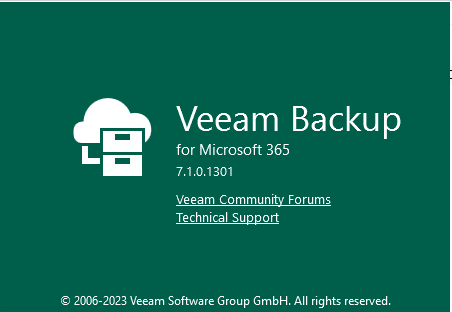
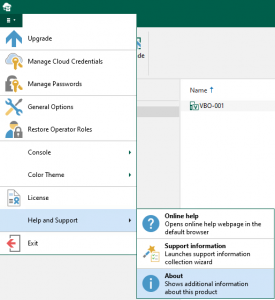
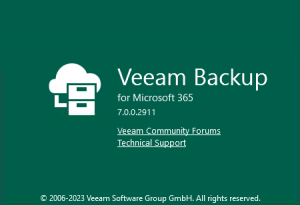
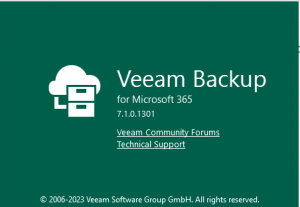
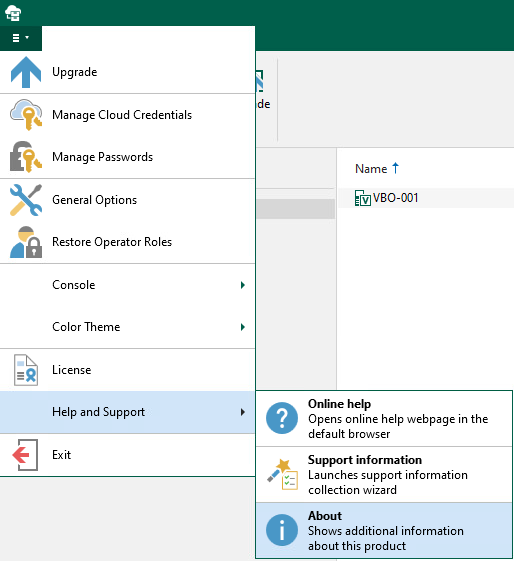
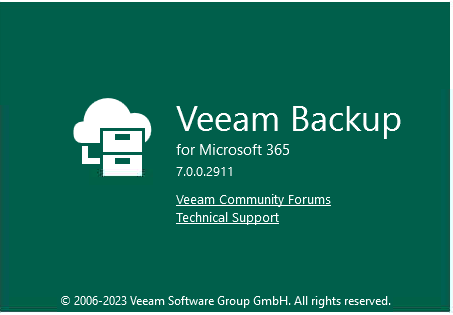
    1. First thing we need to do is take note of the version of Veeam Backup for M365 we have installed. Although in the next few steps we cover checking for updates, this creates our baseline to be able to confrim a successful install at the end.To check the current version. Select the Hamburger Menu -> Help and Support -> About
      Just click anywhere on the ‘About’ popup to close
    2. From here, if you haven’t done it yet, make sure you take your snapshot before proceeding.
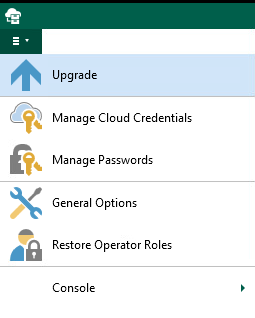
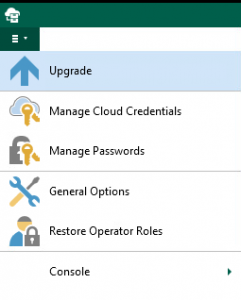
    3. Once you’re ready to proceed, it’s time to kick off the update:Select the Hamburger Menu again -> Upgrade
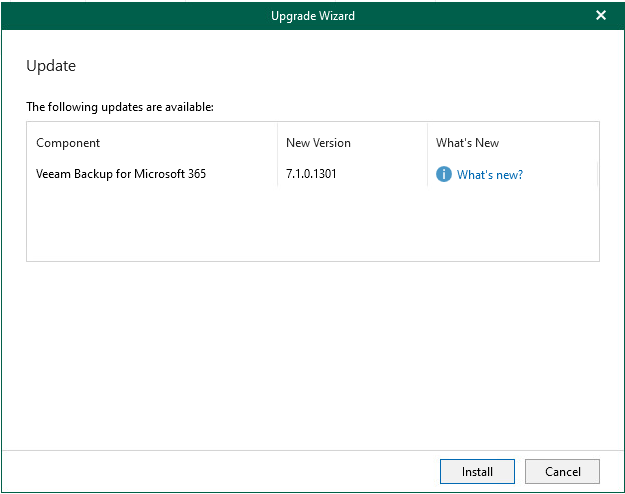
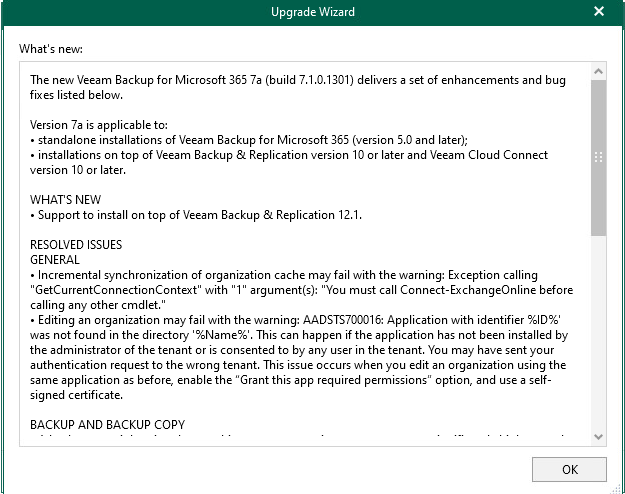
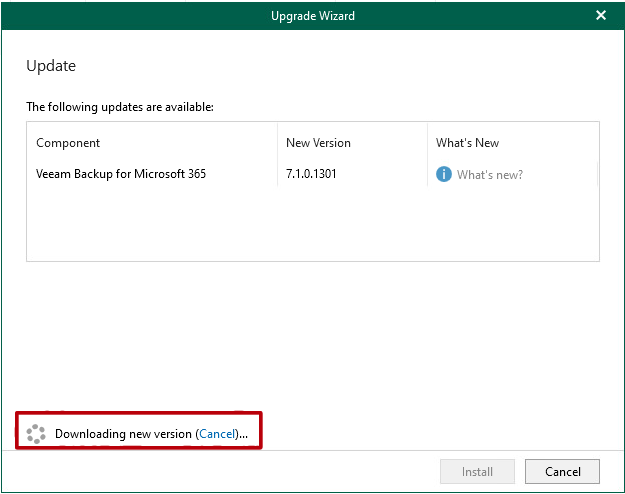
    4. A wizard will open up. Here in the first screen, you will see Veeam running a quick check for updates, then open up another screen to show the update that is available.  If there is an update available, you will then get a link for “What’s New” where you will be able to see a summary of what has been added and resolved in the update.If there are updates for the Veeam Explorers for Sharepoint, Exchange, Onedrive and/or Teams, then updates will be displayed here also.
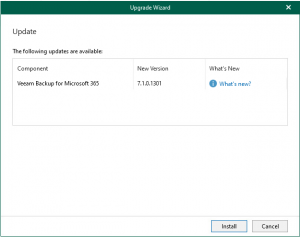
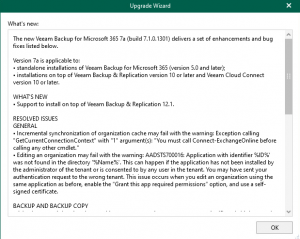
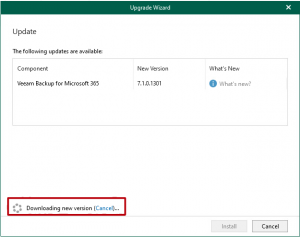
    5. Once you have confimed that you are happy with the changes, you can click “Ok” and proceed with click “Install” – The wizard will remain on the update screen until the updates have downloaded. Once the download has complete the wizard will continue with the installation.
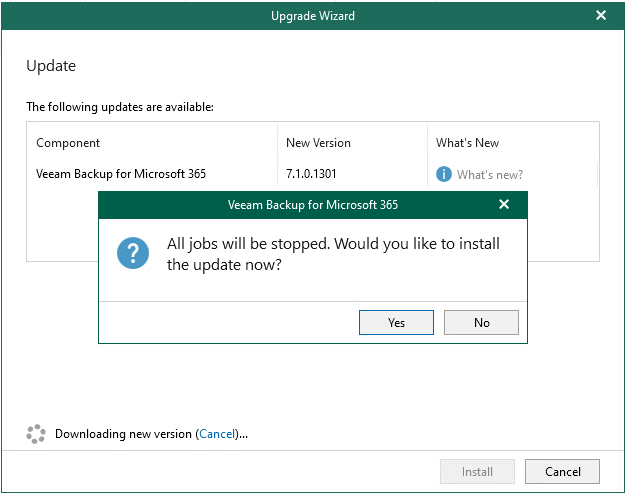
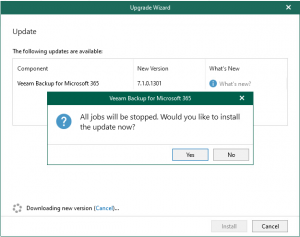
    6. All the above steps could be performed while your jobs are still running, but sensibly, you would have stopped them as part of your change control before proceeding with the update. However, if you had not stopped your jobs, or one accidently started, the wizard will advise you that it is ready to stop all jobs and confirm that you are ready to install the update.
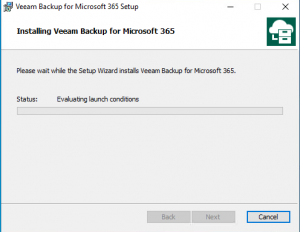
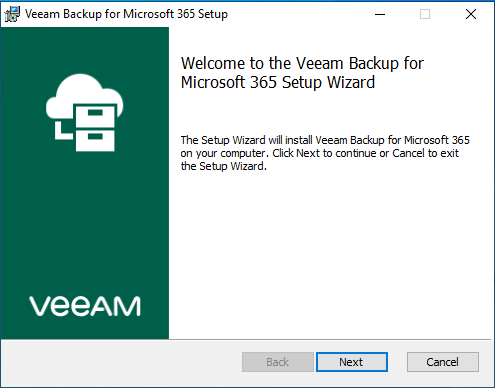
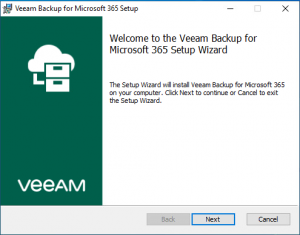
    7. The wizard will close along with the Veeam Backup for M365 console and it will open a new installation wizard from the downloaded update file. From here, it is just a series of clicking next until the install takes place.
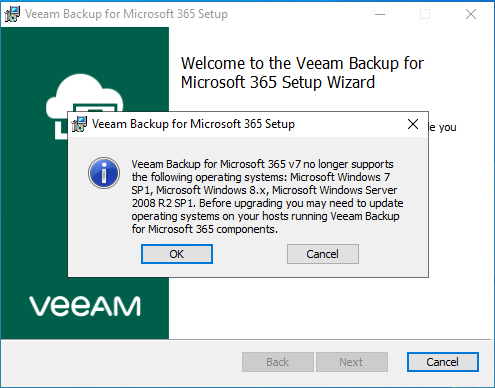
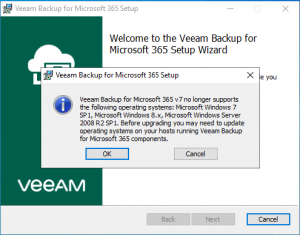
      Regardless of the operating system is that you are installing onto, a pop-up will show up to advise you that Microsoft Windows 7 SP1, Microsoft Windows 8.x and Microsoft Windows Service 2008 R2 SP1 are no longer supported and you MUST upgrade your Windows installation before proceeding.
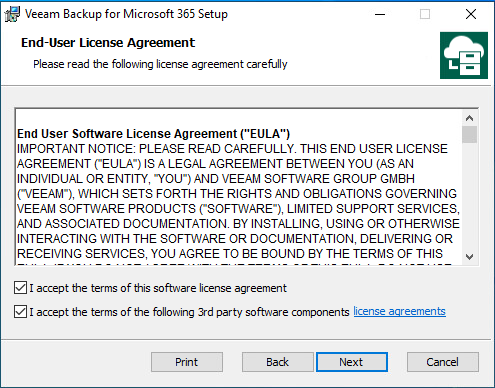
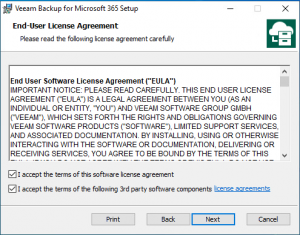
    8. Read thoroughly through the EULA – You will need to tick the boxes and agree to the EULA before you can proceed with the install.
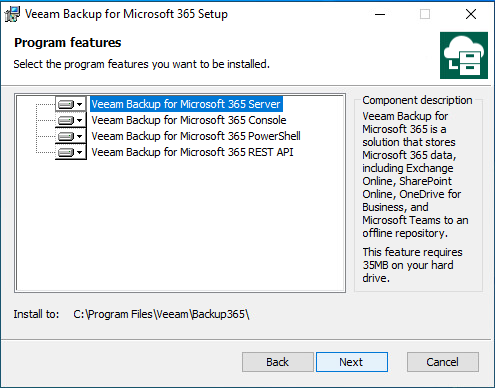
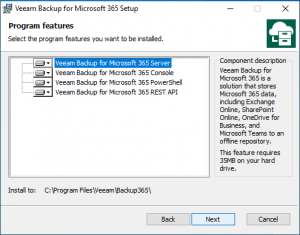
    9. Confirm that allthe components that you want to upgrade have been selected. All components are selected by default, however, you may want to only update certain ones, you can deselect if needed.
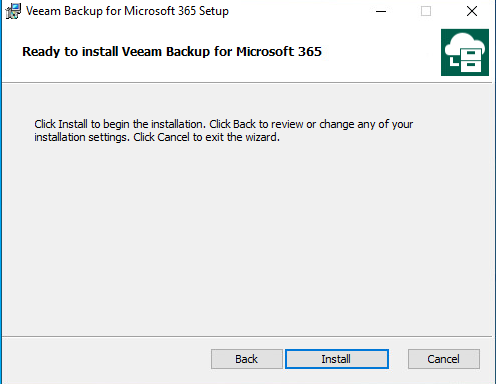
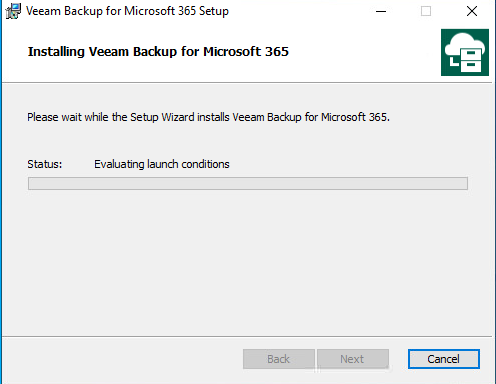
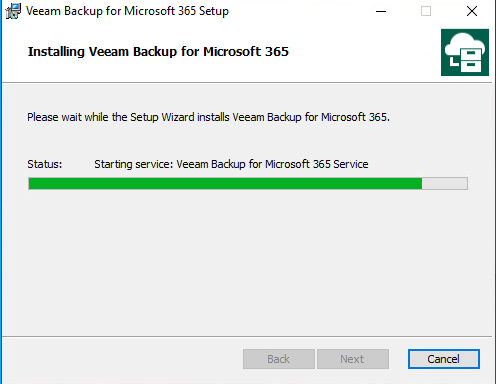
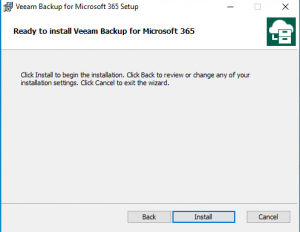
    10. The final screen for the installation is to confirm your’re ready to install. Once you click Install the installation will take place. This can take anywhere between 1 – 5 minutes to completed.
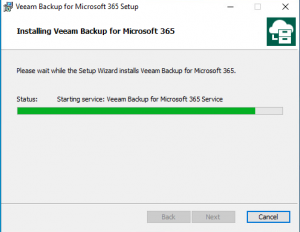
    11. The install will also start your Veeam services as the final steps, this will confirm that the installation was successful and there are no issues that arose from the install process.
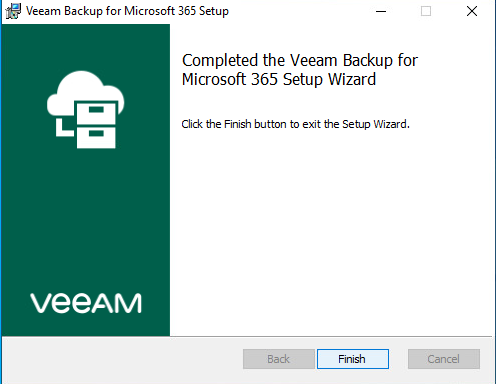
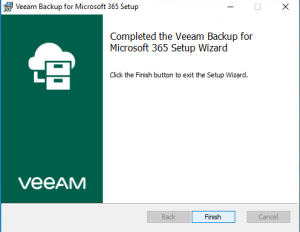
    12. Once the installation has complete, you will see the final screen where you can click Finish to complete and close the install.
    13. As we did earlier at the start, it is now ideal to open up Veeam console and go back to the About section to confirm the update was indeed successful and you are running the latest version.
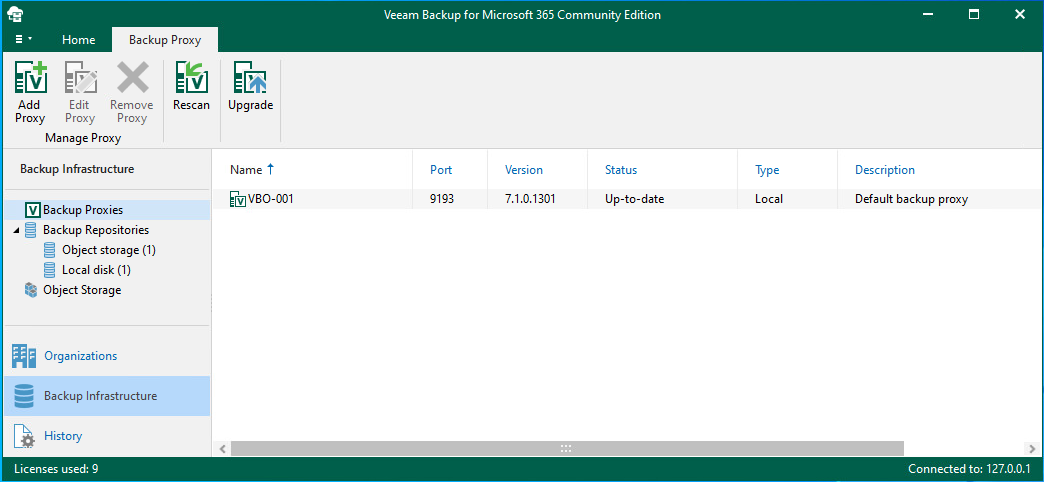
    14. Once confirmed, you can then move over and check if there are any additional updates/upgrades that need to be applied to the the Backup Proxies or Backup Repositories. These will show up under the Backup Infrastructure “Backup Repository” and “Backup Proxies”  – If you are running the proxy local on the same server that you just updated Veeam Backup for Microsoft 365, then it will update at the same time.
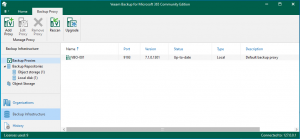
    15. Finally as part of your Post Check for your change control, run a test job and confirm that everything is connecting and running as it should. If there are any issues, you always have your snapshot to fall back on.
    Previously I had created a video on how to peform a major version upgrade from Veeam Backup for M365 v5 to v6, in this video I also cover the repository and proxy upgrade process.

    P.s. Don’t forget to remove your snapshot after running your tests
     

  • Stepping up and taking on my Imposter Syndrome with the ISN Podcast

    Stepping up and taking on my Imposter Syndrome with the ISN Podcast

    It was July 13, the day was only just starting as I was coming up the elevator to my work’s office floor, and just as I usually do, I flicked open my phone for any notification badges. Although I had checked earlier, there weren’t really any notifications, but one caught my eye, it was a LinkedIn email informing me I had a new direct message from Chris Grundemann, whom I was very lucky to have met In Austin, TX at Tech Field Day 18 back in February 2019.

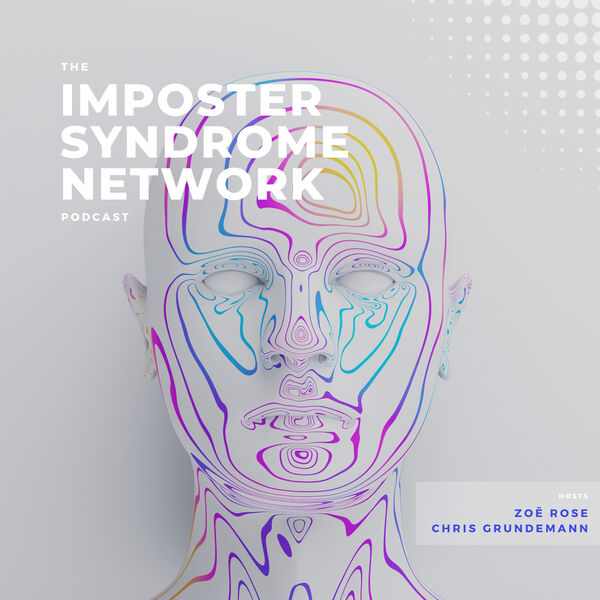
    Chris is a fantastic dude and together with Zoe Rose, they run the Imposter Syndrome Network Podcast, a podcast I was a huge supporter of before the first episode with Ethan Banks dropped. They really started promoting the idea early on, and it got my excited for what was to come.

    My mind is always running at 130% all the time, there is so much going on that there usually isn’t ever time to finish thinking through the last thought. The one place where I find that my thoughts can slow down and process more thoroughly is in the car, this is where I am usually listening to podcasts or thinking through a problem (but it is also the place where the solution will get lost because I can’t write it down). That being said, I’ve listened to every episode of the Imposter Syndrome Network Podcast, each and every week. Just like any other podcast, I start thinking of what I could contribute to that episode, what my opinion of the topic might be, or the answer to a quiz. I had also thought on many car trips that I would like to be asked on the Imposter Syndrome Podcast – of course, I had all the topics and answer right there in head, however I would forget it all once the car engine was turned off – although I didn’t actually think I would end up on an episode, especially as time went on and the guest just became ever so much more amazing with their long lists of achievements.

    However, on this particular day, that message arrived. Here was a message from Chris asking me to come onto the show and tell my story. Immediately my imposter syndrome kicked in and my mind started racing in all of the thoughts of how could I just say, “I really appreciate the offer, but I’m not the person you’re looking for..” I didn’t think I had any of the chops to be on the show. But the strange thing is, I actually wrote back “..My imposter syndrome is yelling at me to say “No” but the one thing I’ve taught myself is to just answer “Yes” and be terrible to be successful.” that last bit was key. “Be terrible to be successful.”

    So, from that point, I was signed up and I booked in for my recording session with both Chris and Zoe for 2 weeks time, Friday at 3:30am in the morning. That’s right, 3:30am. The 3 of us together were able to split the earth in 3 even sections with our locations. The recording went well, and it was quite clear at the start that the cogs hadn’t really started turning and my answer to Chris’ first question was restarted 3 times. We spoke a lot about my 10 year history as a vExpert and what it takes to join and be a part of those community programs and the motiviation to produce content. As all three of us have been delegates with Tech Field Day, we also talked about that small close-knit family that community groups create, and the different levels of experience and opinions of technology. 

    I’ve done some podcasts in the past, when I did Nerd Journey Pod, I was nervous, the only thing going through my head was “What if I say the wrong thing publicly – what is everyone going to think?” and it really got to me, you can hear it throughout. My next podcast was with The On-Premise IT Roundtable with Gestalt IT, but was joined by Pure Storage – whilst I was there for Storage Field Day, talk about being thrown into the deep end of having to discuss a product I barely knew anything about – but I managed to get through it by focusing on the business side rather than the specific technology (phew!). I then made several appearances over the last few years on the Tech Breakfast Podcast just joining in on the conversation which had no real agenda except to discuss current technology events.

    So you can see my podcasting history is fairly short, and one thing I’ve learnt about myself over the recent years is that I am just 1 person in among 7 billion others, if I sink like a lead balloon doing a podcast or a video, then it won’t be long and I’ll be forgotten. It has taken me a VERY long time to learn that. Sure, there are people who are close to me, but they seem to move on pretty quick, too many other things that are happening, it’s just myself who dwells on my own past.

    Immediately after I said my first opening line on the show, I squirmed in my seat, I started focusing on that thinking it was terrible and very cringe worthy, although I had originally thought it would be a nice little joke, because really, I was an imposter being there – this continued to play on my mind all the way up to me hearing it when the recording was released. But, it was one of my friends who heard the episode and his first reply was “That first line reminded me of Fight Club” and yeah, that was exactly what I needed to hear, it tied it together nicely.

    I am always hesitant to listen to myself after any recordings I’ve done, but I do it anyway, I use it to help learn and make adjustments on what to do different next time. I was extremely nervous to listen back to the episode, the only things I could remember saying were the bits where I started to focus on where I felt I said the wrong thing. In the end, I actually enjoyed the episode and started to promote it in some of my channels with friends across the world – this is something I usually would be very strategic with and would wait until the episode was released out of my control, but on this occasion, I couldn’t wait.

    What happened over the next 24 hours was certainly a first from any of the other podcasts I had done, several people I had no direct connection with started reaching out on LinkedIn telling me how much they enjoyed the episode and they wanted to connect. This truly created some highlights, like anything I produce, as long as someone gets something out of it, then I’ve done something worthwhile, I just didn’t expect the response I got.

    Earlier this year, I accepted an offer to do a co-presentation with a friend at an event next year, it was a whole year away, and it still took some time to accept the offer, but the thing is, if I don’t take the opportunity, I’ve only got myself to blame for not taking the leap.

    While it might seem obvious that I process every word in real-time, it isn’t the voice that the audience is there listening to, they are there for the content and to learn something. You can be anxious, but don’t let that stop you because there is always a brighter outcome – it just takes 1 person.

    It doesn’t matter if someone has a longer list of credentials than you, it doesn’t matter if someone has written a post on a topic you were planning to. It doesn’t matter how you present. Step up, take the challenge and say “Yes”. There is at least someone out there who will appreciate it very much that you did.

    You can check out my Imposter Syndrome Network episode here:
    ISN Linkedin group